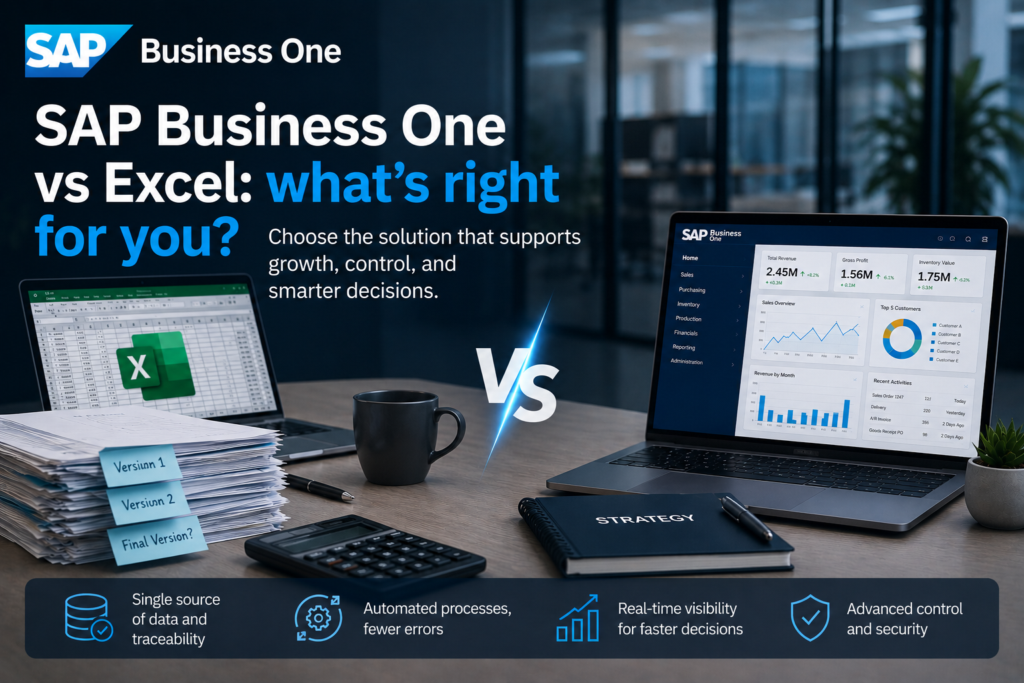
When a CFO receives three different versions of the same inventory report, the problem is no longer the file itself. The problem is how the company manages its operations. That is why the SAP Business One vs Excel comparison is becoming increasingly common among businesses that have grown beyond the point where spreadsheets can support control, speed, and decision-making.
Excel remains a useful tool. It is fast, familiar, and effective for ad hoc analysis. However, there is a significant difference between a work tool and a system that coordinates an entire business. When it comes to purchasing, sales, inventory, production, cash flow, and management reporting, the right question is not which option is cheaper at the beginning, but which one can support growth without operational chaos.
SAP Business One vs Excel for Growing Companies
In many organizations, Excel starts as a practical solution and eventually becomes the actual infrastructure of the business. One file for inventory, another for orders, another for payments, plus manually rebuilt reports at the end of every month. At first, this seems sufficient. Over time, bottlenecks emerge: the same data is entered multiple times, figures do not match across departments, and key employees spend hours verifying which version is correct.
SAP Business One changes this approach. Instead of managing operations through separate files, companies work within an integrated system where data is entered once and becomes available wherever it is needed. Sales, purchasing, accounting, inventory, and operations no longer function in parallel—they work together.
This becomes especially important for organizations that have moved beyond the stage where the owner or general manager can keep everything under control through experience, phone calls, and spreadsheets. As a business grows, it needs rules, traceability, and timely visibility.
Where Excel Excels—and Where It Starts to Hold You Back
Excel is valuable for ad hoc calculations, quick budgeting, simulations, and specific analyses. A skilled financial controller can build useful models, while an operations manager can temporarily track KPIs without waiting for IT development. Its flexibility is real and should not be underestimated.
The problem arises when Excel is used as the primary operating system of the business. That is when structural limitations become evident. There is no true version control, approvals move through emails, formulas can be modified without a clear audit trail, and data access becomes difficult to govern. The more transactions, products, warehouses, and users a company has, the greater the risk of error.
There is another issue many companies discover too late: Excel depends heavily on the people who built it. When an employee leaves, the logic behind the files often leaves with them. The business is left with spreadsheets that are difficult to understand, fragile macros, and processes that only work as long as someone knows exactly what must be checked manually.
What SAP Business One Brings to the Table
SAP Business One is not simply a place to store data. It is an ERP system designed to support end-to-end business processes. This means a customer order can automatically impact inventory availability, procurement planning, delivery, invoicing, and financial reporting.
The key difference is integration. In Excel, every report depends on who collected the data and when it was collected. In SAP Business One, everyone works from a single database with clear rules and full traceability. Companies can quickly see what has been sold, what needs to be replenished, which invoices are overdue, and where operational deviations occur.
For management, this means greater control. For teams, it means less repetitive work. For the organization, it means the ability to operate more intelligently, with more stable processes and decisions based on real-time information rather than delayed consolidations.
Control and Accuracy
Within an ERP system, data is validated through workflows and business rules. Not everyone can change anything at any time. Access rights, audit trails, and data governance reduce the likelihood of human error. In Excel, control exists only if it is manually enforced and consistently followed—a challenge that becomes increasingly difficult as a company grows.
Automation and Speed
Manual processes cost more than time. They also consume management attention and create missed opportunities. If teams are checking inventory in spreadsheets, reconciling data from multiple sources every month, and rebuilding reports from scratch, resources are spent on administration rather than business development. SAP Business One reduces these inefficiencies through automation and a unified operational workflow.
Visibility for Better Decisions
Managers need more than data. They need accurate information, delivered on time and within a clear operational context. With Excel, this is possible, but usually requires significant effort and often comes with delays. With SAP Business One, reporting is directly connected to business transactions, fundamentally improving decision quality.
The Real Cost: License vs Operational Cost
Many organizations begin their analysis with the obvious cost. Excel appears inexpensive, while an ERP system seems like a larger investment. However, the right comparison is not simply subscription versus license cost. It is the difference between visible costs and the total cost of operations.
Excel hides costs that do not immediately appear in budgets: manual work, reporting errors, inventory discrepancies, invoicing delays, lack of traceability, dependency on key employees, and decisions based on incomplete information. These costs grow as business volume increases.
SAP Business One requires an upfront investment, implementation effort, and organizational discipline. However, if business processes are already reaching the limits of spreadsheets, the investment begins to pay for itself through efficiency, control, and scalability. This is not merely software—it is a platform that supports growth without multiplying operational complexity.
When Excel Is Enough—and When It Is Not
Not every company immediately needs an ERP system. Businesses with simple operations, few users, low transaction volumes, and limited interdepartmental dependencies may find Excel sufficient for a period of time. It would be incorrect to claim that every company should instantly move to an ERP.
However, there are clear signs that the time for change has arrived. When reports contradict one another, inventory records do not match reality, orders depend on manual checks, month-end closing takes too long, and managers lack real-time visibility, Excel is no longer an advantage. It becomes a constraint.
In retail, distribution, manufacturing, construction, and service organizations with complex operations, this limit often arrives sooner than expected. The more locations, product categories, documents, and cross-functional dependencies exist, the more obvious the need for an integrated system becomes.
SAP Business One vs Excel in Practice
The difference becomes most visible in day-to-day operations. In an Excel-based model, an order may be recorded in one file, verified in another, emailed to the warehouse, and then entered again for invoicing. Every step introduces delays and the risk of error.
In SAP Business One, the same process can be tracked within a single system, with clear links between documents and complete visibility into inventory, delivery status, and financial impact. This does not mean ERP software automatically solves every problem. If processes are unclear, implementation must be done correctly. However, a strong ERP platform provides the framework needed for standardization and control.
That is why this decision is not purely technical. It is operational and strategic. If the goal is to expand the company, launch new business lines, manage multiple locations, or improve management reporting, a foundation capable of supporting greater complexity is essential.
The Right Choice Depends on the Company’s Stage
There is no universal answer that applies to every business. There is, however, a right answer for each stage of maturity. Excel is useful when a business is still experimenting, simplifying, or managing processes with relative ease. SAP Business One becomes the right choice when the organization requires structure, traceability, and execution speed at scale.
For many organizations, the real question is not whether Excel can continue to work for another six months. It probably can. The real question is what that delay will cost and how prepared the company will be when volume, complexity, or compliance requirements suddenly increase.
At this point, the implementation partner becomes almost as important as the platform itself. A well-executed ERP project translates business requirements into clear processes, proper configuration, integration, and user adoption. Serra Software approaches this transition with a focus on analysis, implementation, and continuous improvement, ensuring that technology serves operations—not the other way around.
If your company’s growth is still managed through an increasing number of spreadsheets and ever more frequent manual checks, you do not have a reporting problem. You have a clear signal that your business requires a new level of control.